Scale up quickly and save by choosing among different user types
ManagerPlus provides a comprehensive and easy to use EAM for streamlining your asset management.

Our full-featured SaaS solution designed for
growing teams seeking to improve efficiency
with unparalleled visibility into your
business operations.
Next generation features designed to scale, offering system and machine integration, team collaboration and business intelligence all in a custom package that meets your needs and goals.

Choose from multiple pricing options that best fit the needs of your organization.

Get more from your asset management platform with optional add-ons that provide greater levels of functionality.

Based on the number of users supported, your annual subscription enables you to optimize your workplace assets, meet regulatory standards, and facility management excellence.
Scale up quickly and save by choosing among different user types
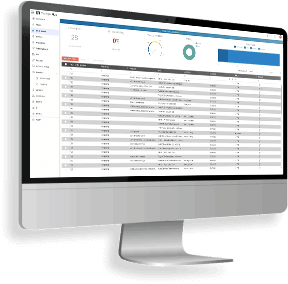
Strategy and business intelligence are your key responsibilities, in addition to the day-to-day operations

Manage asset data, create work orders, deploy teams and more from any location
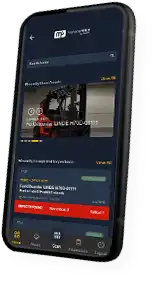
Complete inspections, request service and report information in real time
Whether you need custom data importing or a fast track to launch, we’ve got the right onboarding plan for you.
Let us know how much help you want or how much you would like to handle yourself and we will get the right services for you.
We believe your success is our success, and we’re here to help you make the most of your EAM investment.
All the asset management, work order management, preventive maintenance, inventory and reporting features you’d expect.
ManagerPlus Learning Center, our education resource, provides unlimited 24/7 access to self-paced training, videos, webinars, articles, and tutorials.
We are constantly making improvements so you can stay up to date with the latest in asset management.
With an active subscription, you have access to any live and recorded webinars.
Unlimited access to our certified customer support
technicians during normal business hours.
Custom fields offer maximum flexibility to capture exactly the data you need.
Your data is backed up nightly, keeping it safe and secure with no downtime.
Plenty of space to store your documents, images and instructions.
Yes, ManagerPlus Lightning can be upgraded from Lightning Plus to Lightning Experience at any point.
No. Our minimum term is 12 months.
We offer a variety of payment methods including credit card, EFT or NET terms.
Onboarding with ManagerPlus Lightning starts with a kick-off call to identify your goals for implementation and develop the plan to help you accomplish them. Your Customer Success Manager then guides you through the implementation including data imports, custom configuration and training/education, with the intent and purpose of helping you get the most out of ManagerPlus Lightning.
Yes, you can. Monthly or quarterly payment options are set to autopay with a credit card.
Yes. This is an important area to us and our customers. We have several GPS providers, and OEM equipment providers that we integrate with and the list is continually growing.
No. ManagerPlus is a SaaS based platform and can be accessed through any device with a web browser and an internet connection. Our mobile apps are available for both Android and iOS platforms. Also, our mobile app can be used when not connected to the internet and then reconnected when you are back in range.
Yes, we take data privacy and security very seriously. Some of the factors in place include 24/7 monitoring, state of the art hosting facility, vulnerability assessment and auditing, internal training and processes, incident response protocols, and dedicated security staff.
Yes, it does. There are many standard reports included in ManagerPlus Lightning spanning a number of important business insights, with more being added.
Yes, SSO is available.
Our minimum term is 12 months, with options for annual renewal at the end of your initial term. Of course, if we haven’t continued to earn your business you have the option to opt-out at the time of renewal.
Find our terms and conditions here.